
Overview
While working for the Natural Health Publishing Corp. I was tasked with designing eHealer.com. A search engine and publishing platform for alternative medicine practitioners. Key features would include a search engine that uses geo-location to find the most relevant specialist, a system that creates a website for each practitioner and an interface that would allow them to configure it and manage the content on it.
My contribution
I handled every aspect of the design process (interaction design, visual design, graphic design), converted the resulting templates to HTML&CSS and integrated them into WordPress, coordinated with developers to make sure all design and features were implemented correctly.
Research
I did not do any research for this project. Instead, the project leaders conducted multiple studies to determine if there was a market for the product. They hired a company to enlist over 100,000 alternative medicine practitioners in the US and Canada. By doing so, they achieved two objectives: first, they were able to establish a pool of quality practitioners for the system prior to its launch; second, they were able to validate the concept from the practitioners' point of view. If the practitioners did not see the value in being listed in such a directory, this would have been a warning sign.
Also, keep in mind, this was made 2015. Product design was a whole different ball game back then.
eHealer.com
This is where the search engine and all the marketing pages would reside.
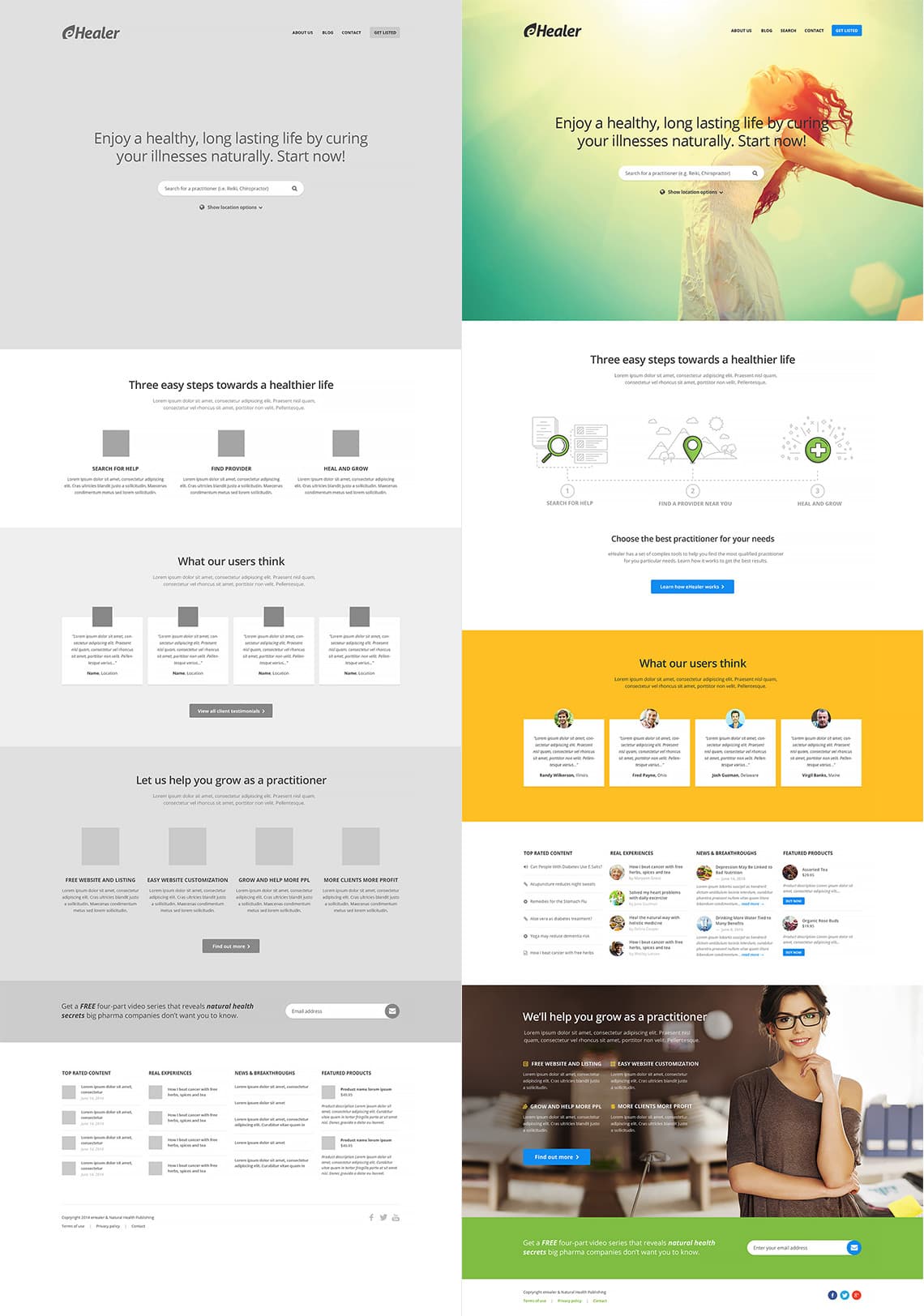
This is where users will start their journey with us. This section serves as an interface for them to interact with our search engine and everything else that follows. It also needs to accomplish other goals such as educating the user on how our system works, building trust, and showcasing the available content and products.
Equally important was presenting the key benefits of joining our network to practitioners. While the system as a whole caters to the needs of practitioners (business to business), it's the information/product seeking users that fuel everything. This section (ehealer.com) was designed with users in mind.
To give maximum importance to the search engine, I proposed using a large background image/color that would take up the entire browser viewport, with the search bar in the center. The logo and navigation were placed at the top, left, and right. As the user scrolls down, an illustration explains the basic functionality and a call-to-action button prompts them to find out more.
Testimonials would reinforce the fact that our system not only works but also helps users solve their problems. Towards the bottom of the page, we highlight the key benefits of joining our network and list some of the top-rated content and products available.
I translated my ideas into a low-fidelity mockup, which I presented to the stakeholders, justifying each section I designed. After getting their approval, I created the high-fidelity mockup.
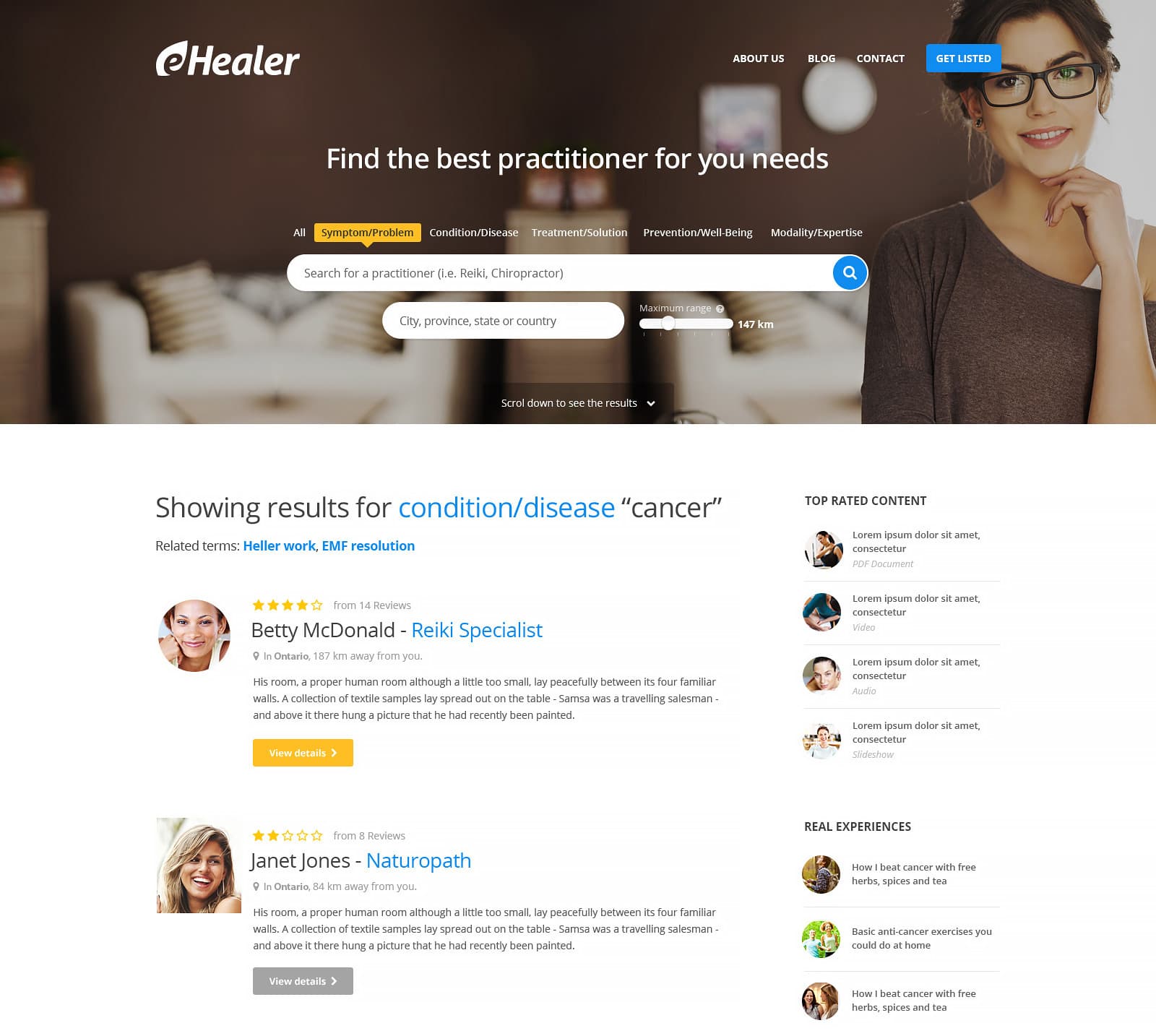
Having completed the front page I focused my efforts on creating a page for the search results. The actual list had to contain all the relevant information about the practitioner: name, location, distance relative to the user's location, reviews and rating. We'd also display a set of related content in a sidebar.
experts.ehealer.com
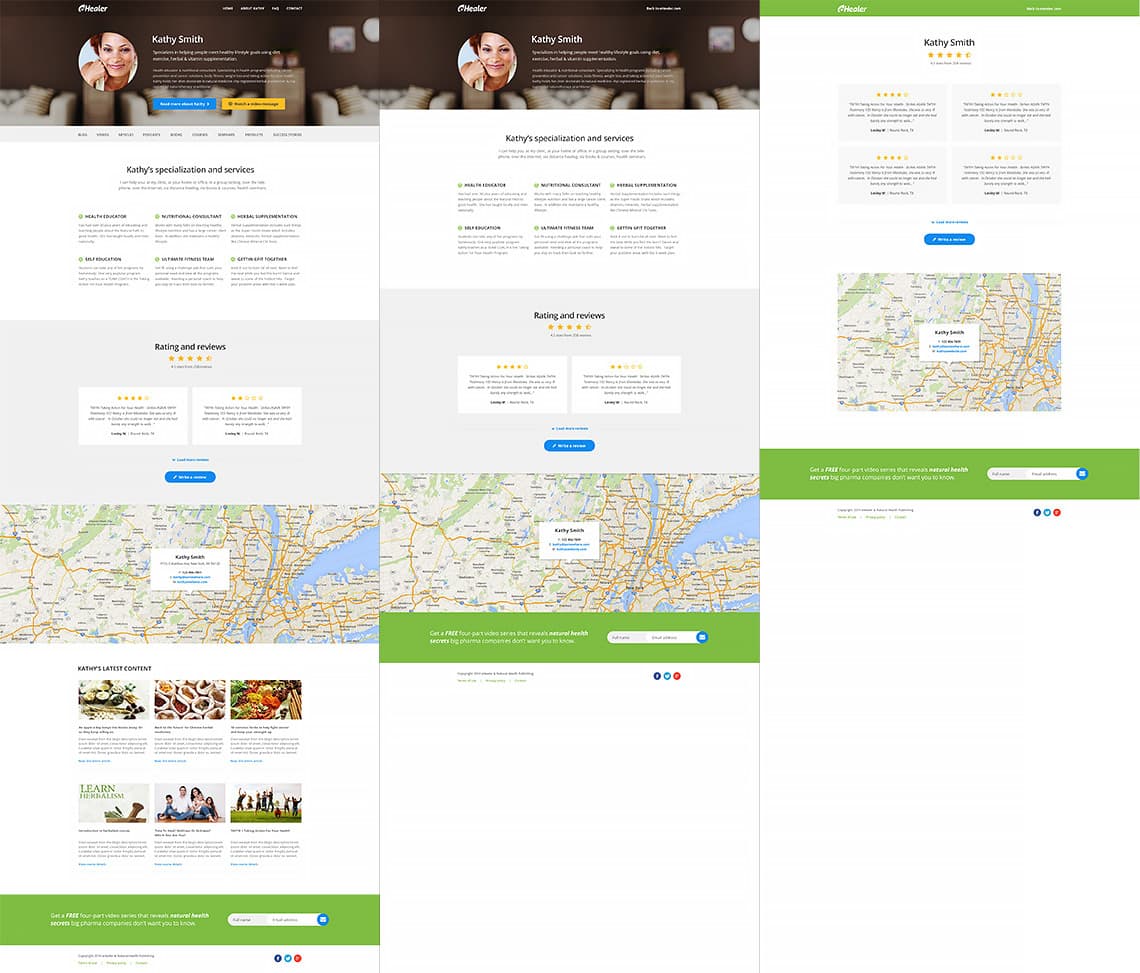
Clicking on any expert in the search results would bring users to the practitioner's website, on experts.ehealer.com. Here, a server-side script would take all the content the practitioners entered and generate the pages, navigation, posts and every other required component.
Because the amount of information they entered could vary, some websites would have a single page with an address and some reviews while others would have 10-12 separate sections, blog posts, products, articles, courses and more. To allow them to scale accordingly, I designed a series of interchangeable and removable modules. These would make up the building blocks on top of which the site would be built.
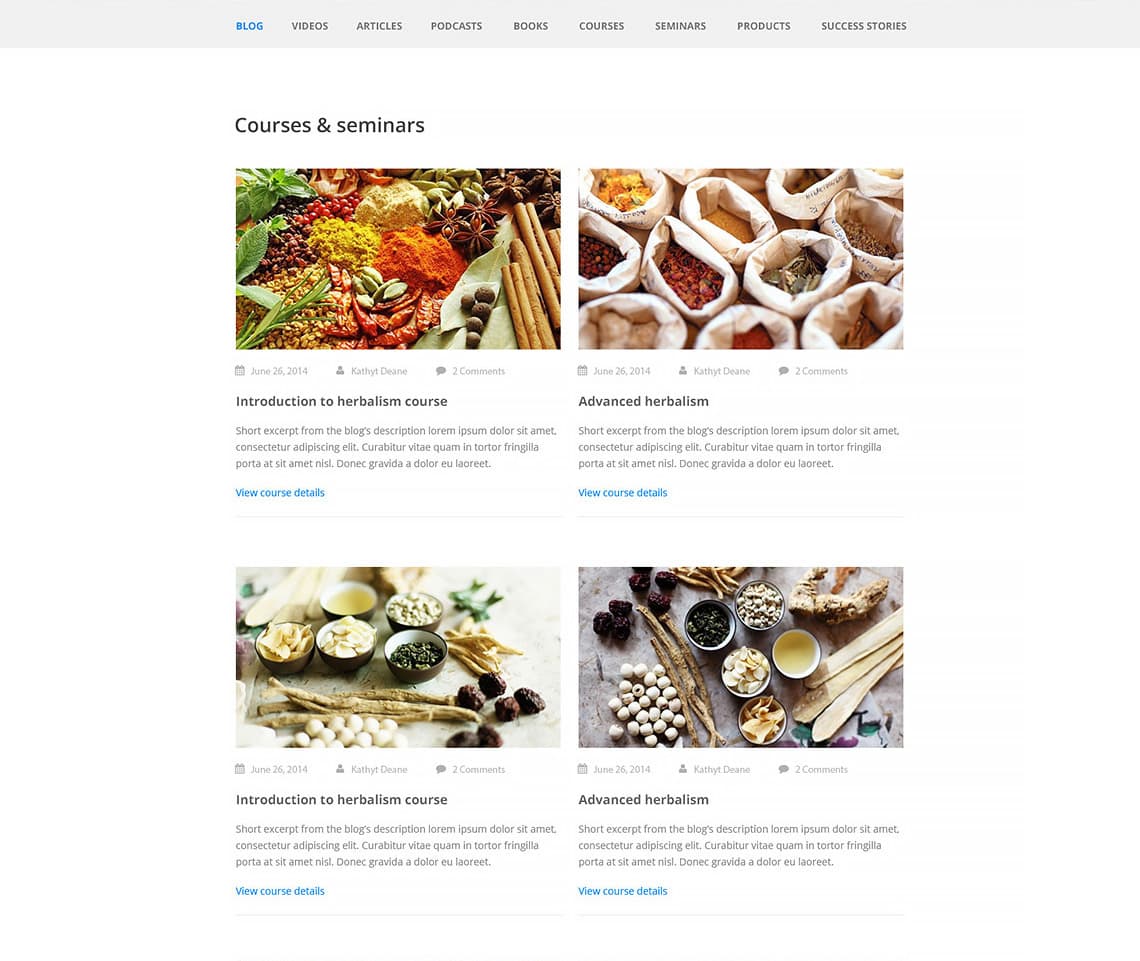
Some of those modules were used to list content and each one had its own particularities based on the content type: blog posts, videos, articles, podcasts, books, courses, seminars, products and success stories. Each module would be placed in its own section (accessible through the main navigation) and each module could hold a virtually unlimited amount of paginated items. This is how the blog post listing module would look:
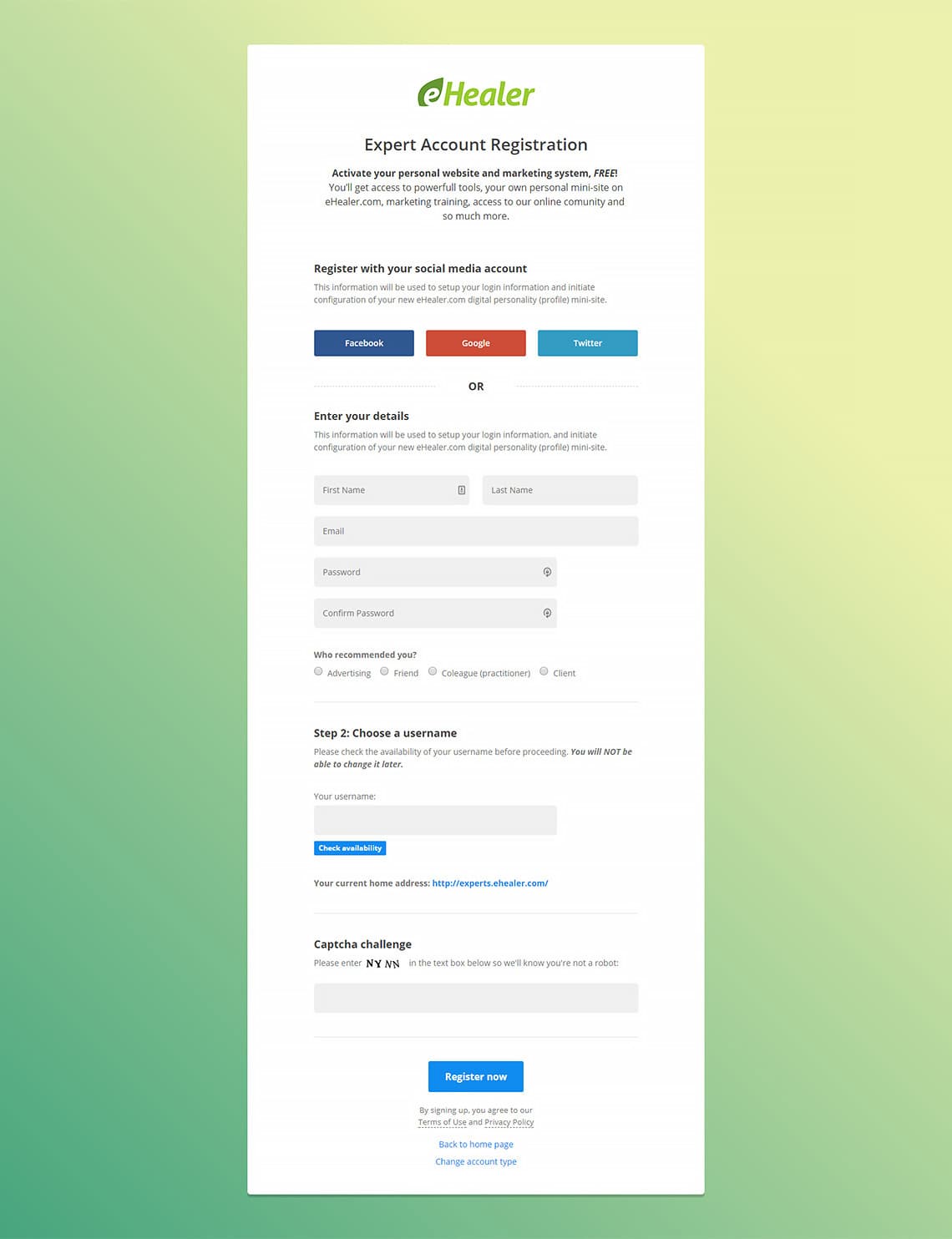
Before managing content, a practitioner had to register. In order to create a decent website that could help their business we needed a lot of information from them. Lots of information meant lots in input fields. But I wanted to keep the registration process as easy and as simple as possible with a minimum number of fields and a clear path to completion.
Asking for the site related information after they registered would help me achieve that. Giving them the option to register using a social media account would simplify things even further and remove the need for a captcha. Satisfied with the process I translate my sketches into this hi-fidelity mockup:
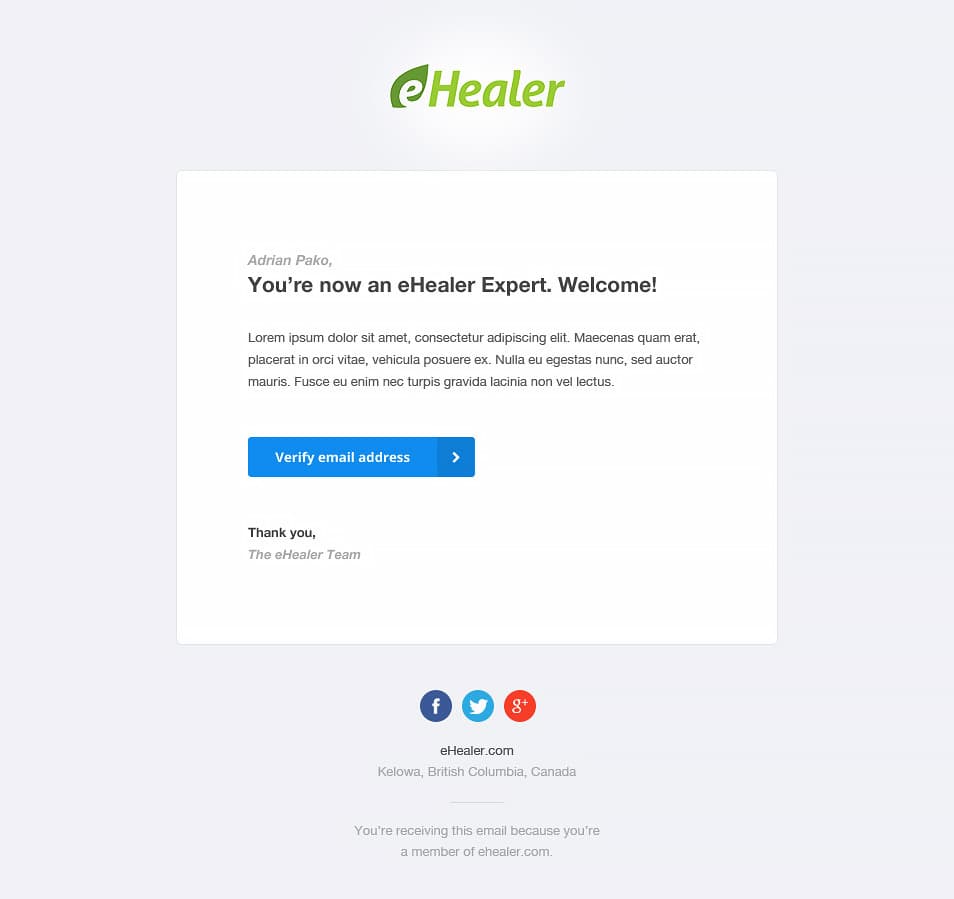
A confirmation email follows a successful registration so I needed a template that could be used to deliver all sort of messages and notifications. I designed something very simple, spacious and versatile. It uses system fonts available on Windows and MacOS and has a layout made of HTML tables to ensure it looks good in any email viewer.
experts.ehealer.com - the back office
This hosts set of tools which would allow practitioners to manage content and configure their websites
To give practitioners as much control as possible over their website we needed an administration section (the back office). This was supposed to give them all the necessary tools to manage content, to make that content search-engine friendly, relevant to their users and unique. It would also allow them to modify various site settings, to link their site to a PayPal account, configure a third-part email marketing system that would allow users to register to a newsletter and more. Last but not least, a help system would have be put in place to help guide them through the process and to show them how to use each tool.
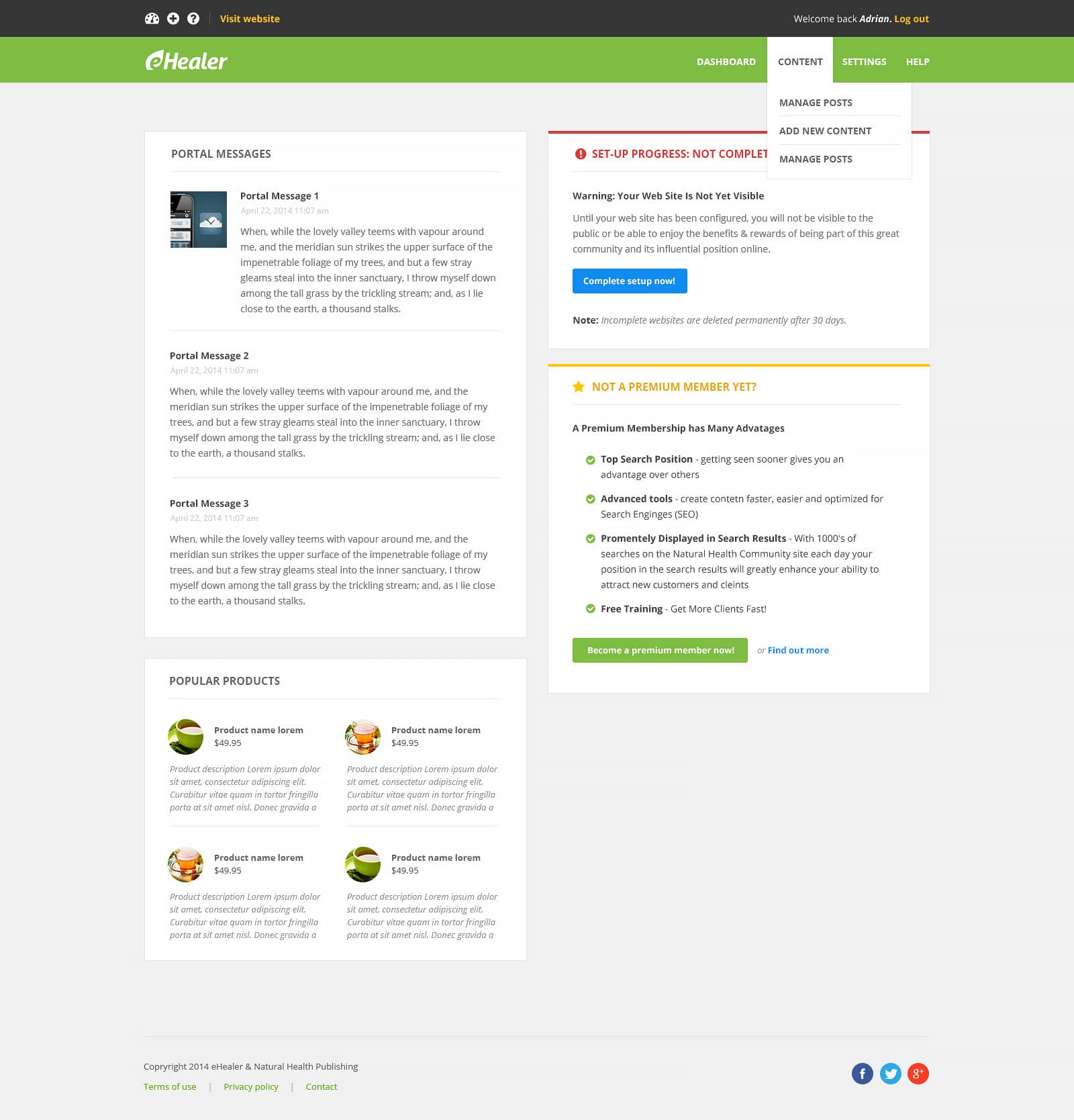
To get things started I needed a dashboard. My idea was to have a place the practitioner sees every time they log in, where we can show various messages and notifications (apart from the ones sent by email), promote paid features of the system and showcase various products the company was going to sell. I decided to use a set of panels for each sub-section and to lay them out in two columns. I ended up using the same elements and style throughout the back office.
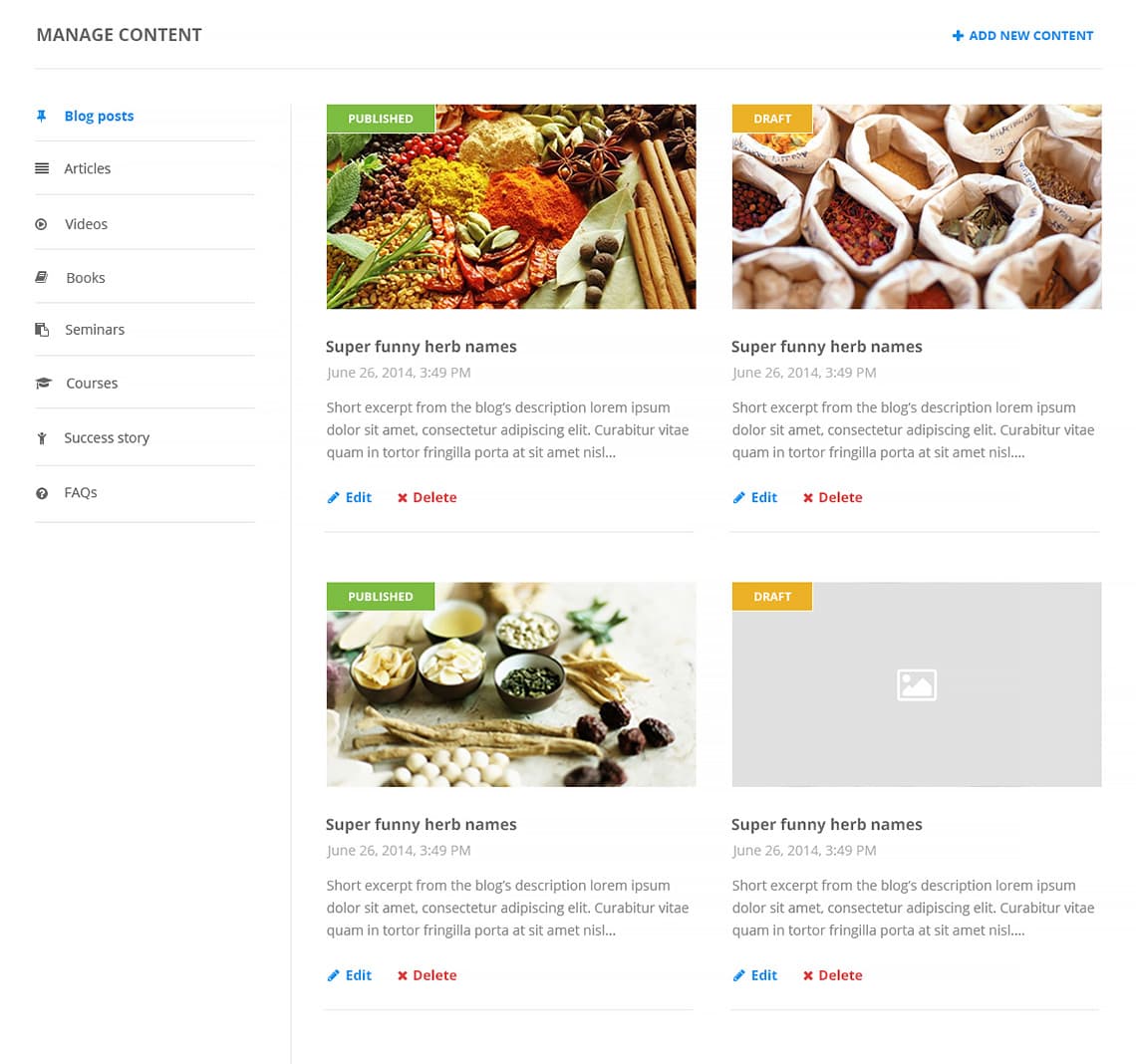
Next up, content management. This section would allow experts to edit, delete, move or add posts. I needed a list of the 9 categories (content types) and a list of the posts from the current category. Each post would have a set of controls which would facilitate the aforementioned operations.
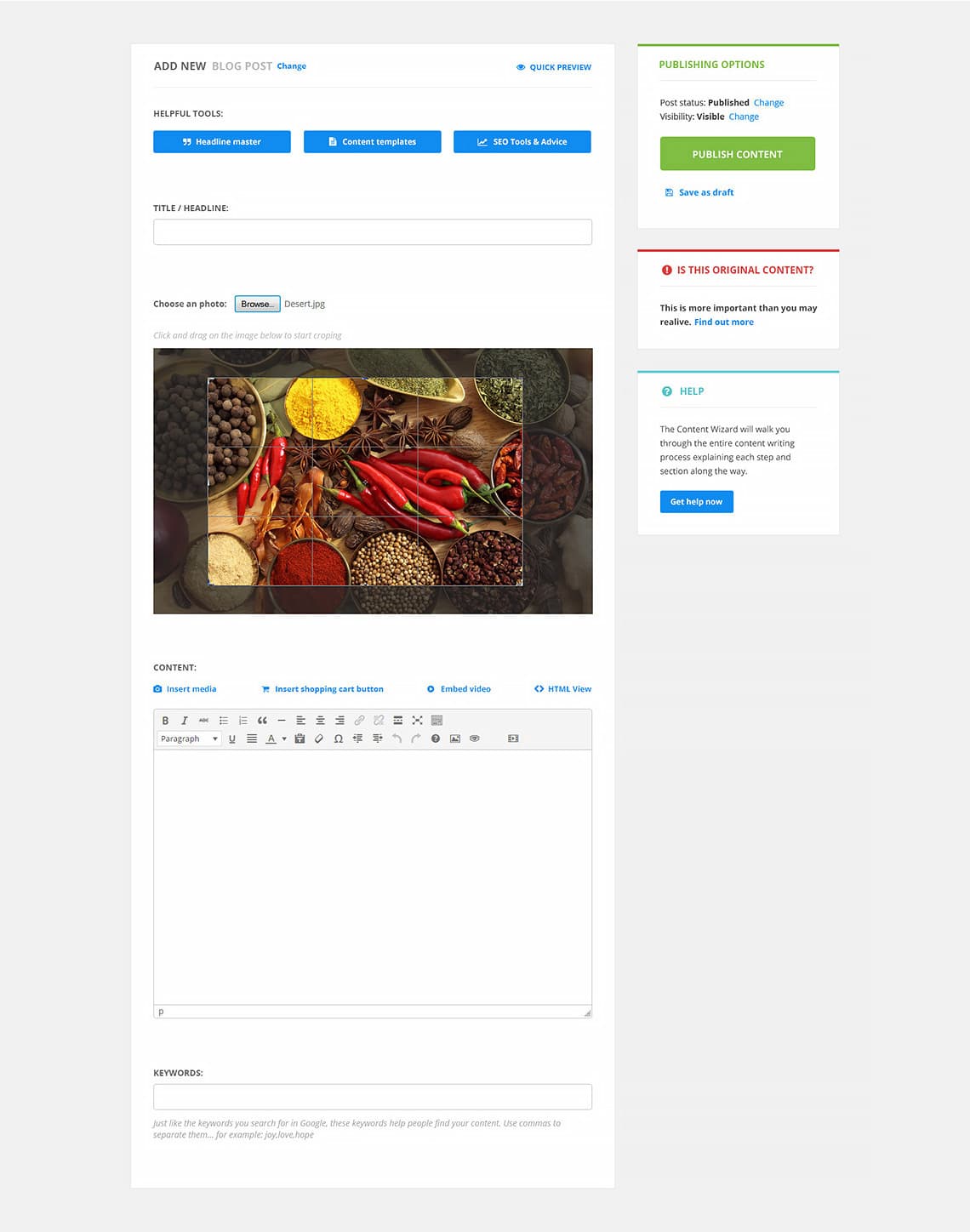
Adding a new post needed to be simple but we wanted to give users a lot of tools that could greatly improve the quality of their content. Most of these took a lot of space and had various input fields and lots of text. I decide to show only the fields that were absolutely necessary, without which the post could not be published, and hide the rest. Buttons would toggle their visibility as needed. Some were transformed into small panels and pushed in the sidebar. Some got shrunk down to text links that would open dialog boxes. The resulting page had only 2 mandatory inputs: the title and the content itself. Everything else was tucked away behind very well highlighted buttons or links.
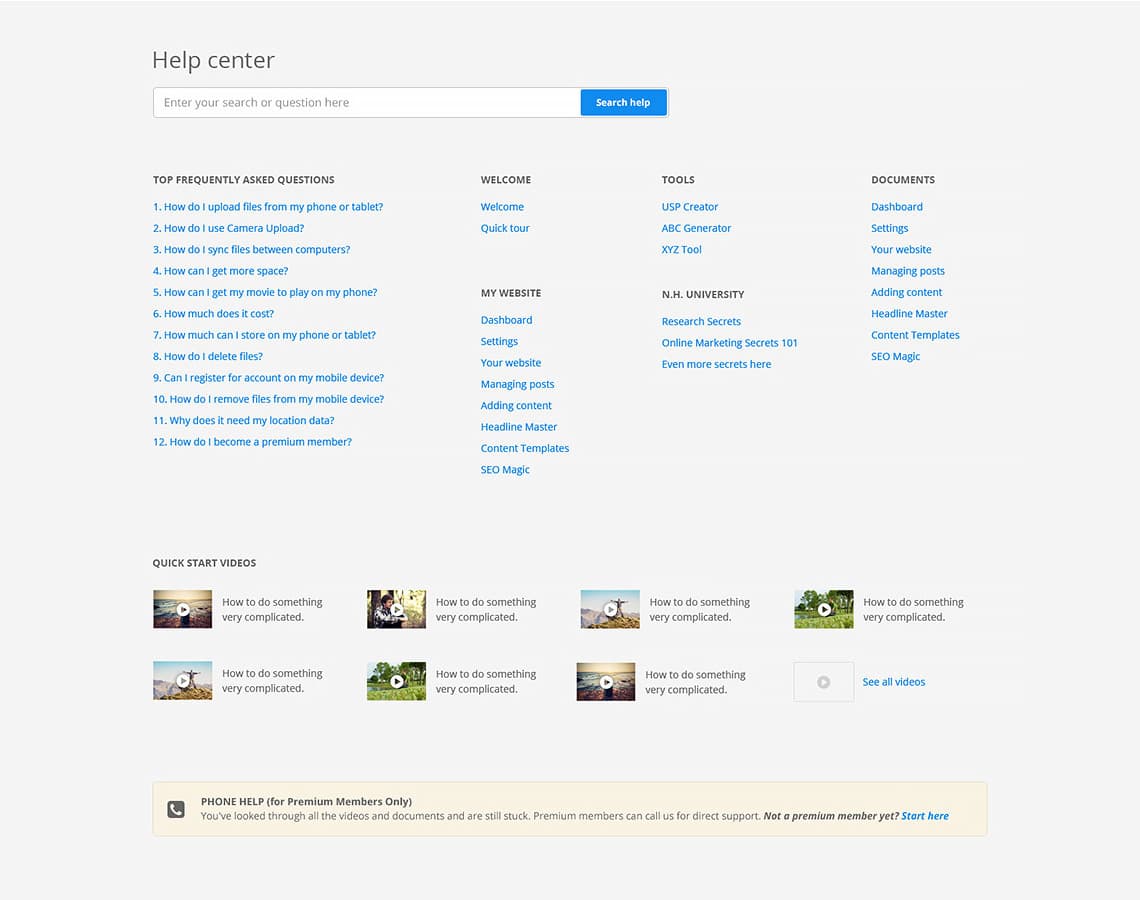
If the user had any trouble with the back office they could visit the help center for clarifications. This section would hold information about each section and tool in particular, lots of general FAQs, video tutorials and quick start videos.
Afterthought
This was a very large project. In total, I made over 60 hi-fidelity mockups for key sections of the system. We built over 100 separate pages, each with its own functionality and set of goals. Because of this, I was only able to present a few of them in this case study. I'm not happy to say that the company shifted focus to another venture that had the potential of bringing in more profit and has put this project on hold.